





The catchy “handle” for your customer communication!
YouTube offers the possibility to convert the URL of your channel into a so-called “handle”, which can contain the title and name and thus becomes a shorter and more concise version of the URL, which can be forwarded to your customers or viewers as a simple and easily noticeable link.
Another advantage is the “handle” via the search functions on YouTube itself or on Google. Customers and viewers can simply enter the corresponding “@” here (e.g. below – @easylivestream) and the channel will be found directly.
This “handle” is also suitable for placement on social media channels, websites and graphics and the conversion or activation is worthwhile and takes 1-2 minutes.
All you have to do is go to – www.youtube.com/handle and the new URL and its “@” will be displayed and suggested to you directly:
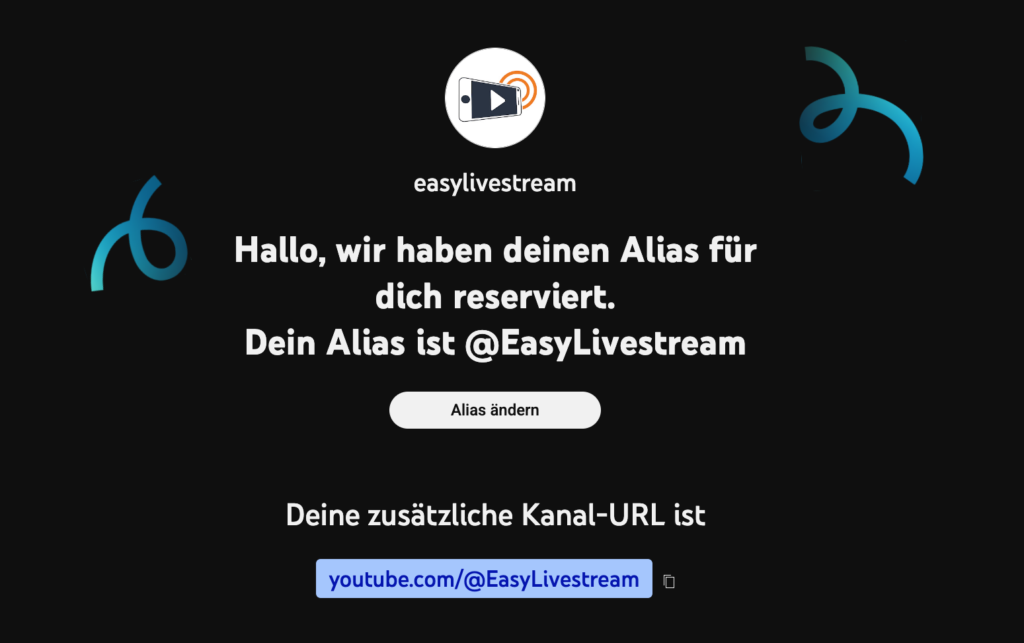
Unfortunately, it is not possible to select your own “handle”, as YouTube assigns these titles using an algorithm and certain URLs and “handles” may already be assigned.
Therefore it is e.g. It is also important that your YouTube channel is well named.
The “handle” and the corresponding URL should also have a catchy and appropriate title.
Another useful additional tip:
You can also simply use the general link to the livestreams on your channel instead of the direct livestream URL.
On YouTube, this is youtube.com/@yourchannelname/live.
This general URL always leads to the next scheduled or currently running live stream. If no livestream is planned, it simply leads to the channel page of the YouTube channel.
You can find out your channel name by clicking once on the profile picture of your channel.
You will find instructions in the box below or under this link.
